

Welcome to Church Center!
One simple place to stay connected at Two Rivers
We’re making it easier than ever to connect, give, register for events, and take your next step at Two Rivers. Our new Church Center app brings the tools you use most into one convenient place.
Whether you’re joining us for the first time or have been part of the Two Rivers family for years, Church Center is designed to help you stay connected.


Let’s Get You Connected.
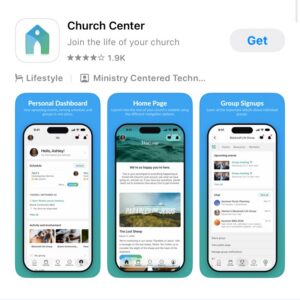
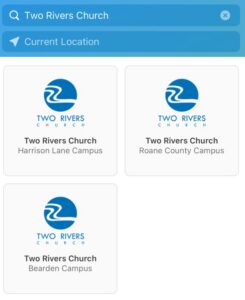
Step 2: Find Two Rivers Church
Open the app and follow the prompts to locate Two Rivers Church. Search by church name or location, then select Two Rivers to continue.
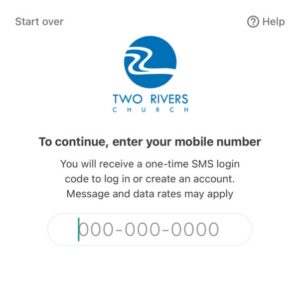
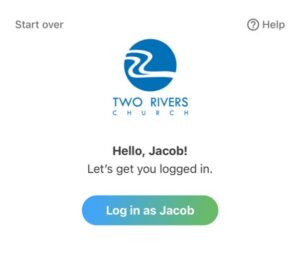
Step 3: Sign in to your profile
Enter your mobile number or email address and follow the prompts to receive a verification code. Use the contact information already associated with your church profile when possible.
Step 4: Check your Information
Once signed in, open your profile and review your contact details. Make sure your information is accurate so you can stay connected.
A quick walkthrough of Church Center
Important update for online giving
As we transition from Realm to Planning Center, our online giving platform is changing, too.
If you currently give online through Realm, you’ll need to set up your giving in Church Center. This is especially important if you have a recurring gift scheduled.
How to set up your giving:
-
Open Church Center and select Give.
-
Enter your gift amount and select the appropriate fund.
-
Choose a one-time or recurring gift.
-
Add your preferred payment method and complete the setup.
Already have recurring giving set up in Realm?
Please make sure your previous recurring gift is canceled before establishing your new recurring gift to avoid duplicate donations. Please move your giving over before the end of the year.
Frequently Asked Questions
